Budget Labor Target
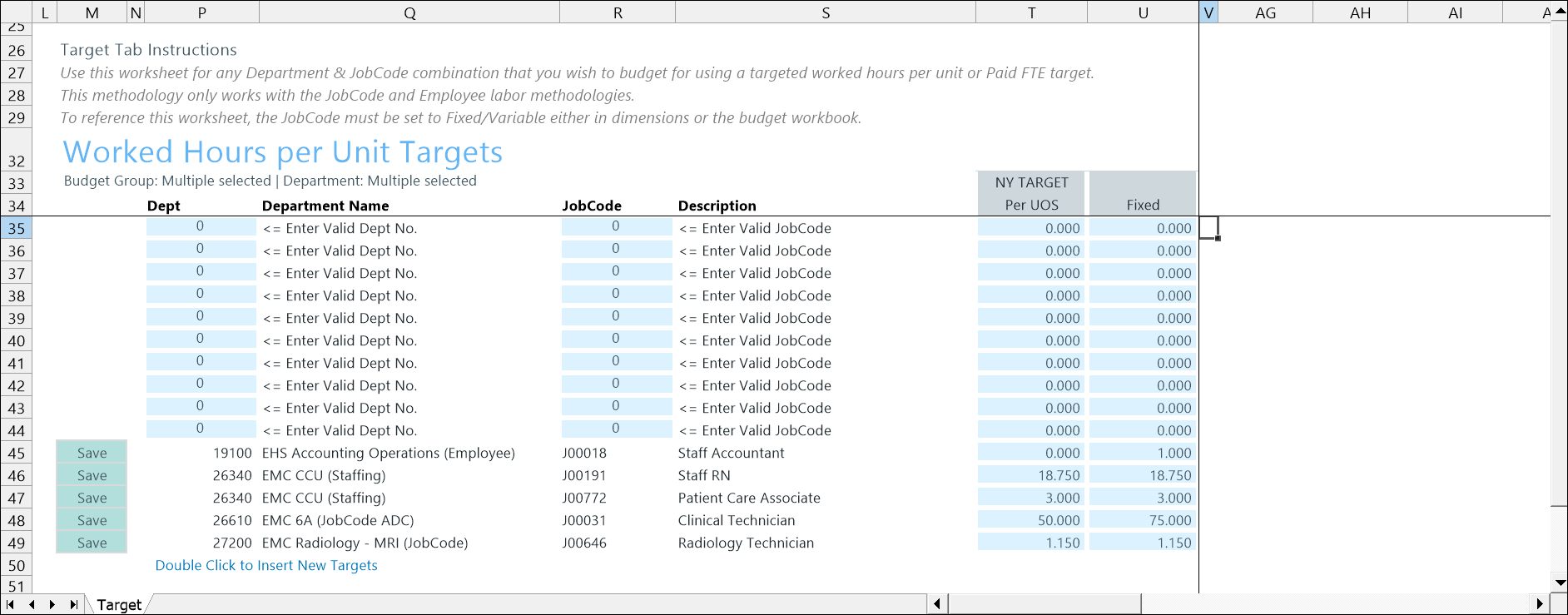
Use the 28 Budget Labor Target (Worked Hours per Unit Targets) driver to set productivity-based labor targets—such as Worked Hours per Unit of Service (WHPUOS) by department and job code. These targets help healthcare organizations plan staffing levels based on workload rather than historical labor costs alone.
This driver works with JobCode- and Employee-based labor methodologies The set of rules the application uses to calculate budget values, such as labor, revenue, or expenses and determine how they change based on activity or plannint assumptions., which calculate labor using hours and FTEs. To use this driver, the applicable job codes must be configured as Fixed/Variable A labor classification that separates staffing into fixed labor that remains constant and variable labor that increases or decreases as workload changes. so labor can adjust appropriately as volume changes.
Configure settings
First, configure JobCode settings.
To reference this driver, the JobCode must be set to Fixed/Variable either in dimensions or the budget workbook. These steps explain setting the dimension.
-
Go to Admin > Admin Task Panes > Budget Admin > View Dimension Tables.
-
Open the JOBCODE dimension table and select Fixed or Variable in the CostVariable column.
Configure driver settings.
- Go to Admin > Admin Task Panes > Budget Admin > Budget Assumptions and double click the desired driver set:
- Access NY Budget Assumptions (next year's budget drivers)
- Access CY Budget Assumptions (current year's budget drivers)
Choose the refresh variables.
NOTE: Refresh variable selection depends on the driver's requirements. Some variables may not display, and not all drivers include refresh variable options.
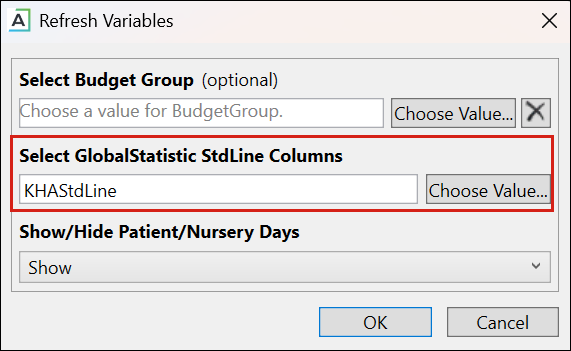
TIP: When refresh variables require a standard line, you must select at least one. If none are selected, the OK button is disabled.
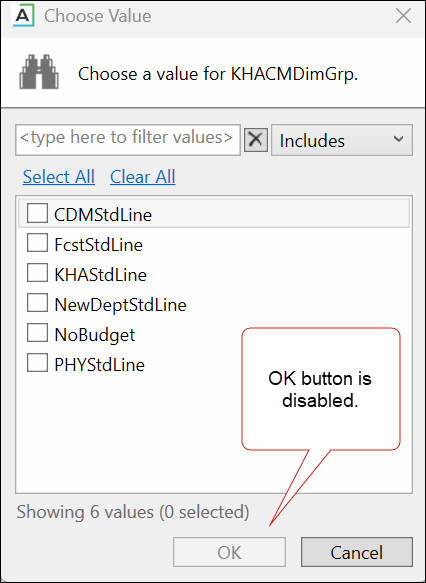
KHAStdLine is the default for the following drivers: 7-10 Budget Global Data, 05 Global Depreciation, 11 Global Expense Budget, and 12 Budget Revenue Global Revenue.
Department selection appears for the following drivers: 03 Budget Statistics, 05 Budget Depreciation, 11 Global Expense Budget, 12 Global Revenue Budget, 14 Budget Labor Rates, 20 Budget Global Sum, 23 Budget Global Labor Premium Dollars, 24 Budget Labor Benchmark, 28 Budget Labor Target, 36 Budget Provider Simple Dept Config, 42 Bugdet Stat Account.
-
To save any changes, right click the driver tab and select Save > Save Data Only.
Budget Labor Target driver configuration includes the following tasks:
